


Wind Radar Map - Anemometer
4.5257.00 Reviews
App Specs
- Version
- 5.3.5
- Updated On
- License
- Free
- Downloads
- 500,000+
- Developer
- Stolanapp
- Categories
- Weather
- Platform
- Android
Screenshots

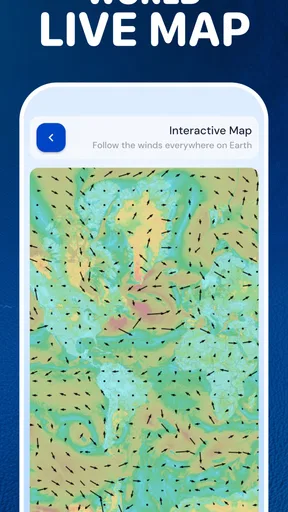
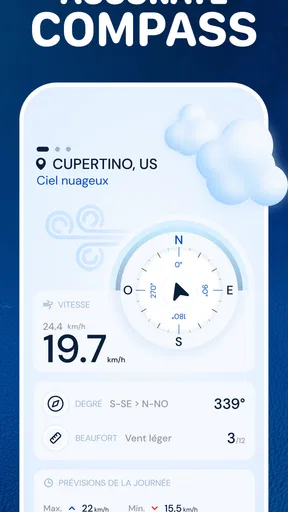
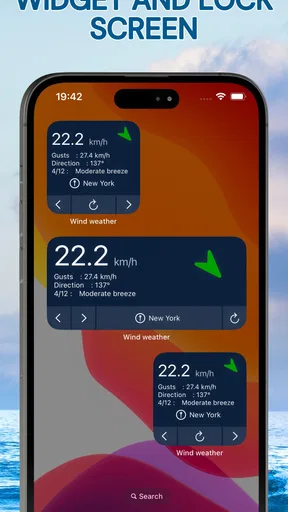
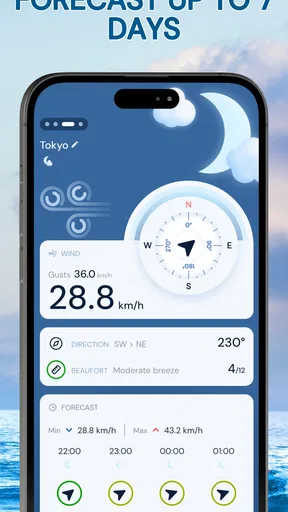
 Analysis by AppCompare
I often check the weather in the middle of planning, not just before I leave: should I carry a light jacket, move a walk to later, or expect a breezy stretch by the water? That is the sort of small decision a wind-focused app can help with. Wind Radar Map - Anemometer is a free weather app from Stolanapp, built around a map view and wind information. I’d consider it when wind is the detail that changes my plans, while keeping in mind that a radar-style display is a guide rather than a guarantee of local conditions.
Where a wind map helps at home
On a shared household device, the map can be useful for a quick conversation before anyone heads out. One person might be deciding whether to take a bicycle, another may be thinking about a walk, and someone else may simply want to know whether a gusty afternoon could affect time in the garden. The value is less about turning the household into weather experts and more about giving everyone a common visual reference.
A realistic routine is to look at the map while making breakfast, then check the conditions again before leaving. I would use the first look to spot whether wind deserves attention and the later one to avoid relying on a morning impression for an afternoon plan. That second check matters because weather changes, and a map should support a decision rather than replace a fresh look outside.
Useful boundaries on a shared device
If several people use the same phone or tablet, I’d treat the app as a shared reference, not as a personal account system. Before relying on any saved preferences or alerts, each person should check what is currently set on the device. A notification intended to help one person plan an activity may be irrelevant to everyone else, so shared-device users are better off agreeing on who manages settings and when alerts are useful.
This is also a good reason to keep the app’s role clear: it can help you inspect wind conditions, but it should not become the household’s only source for decisions with safety consequences. For a casual walk, a quick map check may be enough context. For a more demanding outing, I’d compare it with a broader forecast and local advice, then make the call based on the whole situation.
Getting to Know Wind Radar Map - Anemometer
From the moment I downloaded Wind Radar Map - Anemometer, I was intrigued by its sleek interface and user-friendly design. This app is more than just a wind map; it’s like having a personal weather station in your pocket. Whether you're a sailor, surfer, or just someone who loves to keep tabs on the weather, this app has something for everyone.
What Makes This App Stand Out?
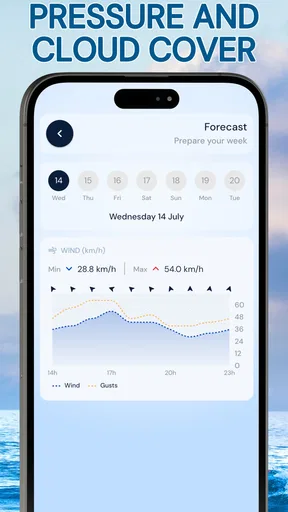
The first thing that caught my eye was the real-time wind data. The app offers detailed information about wind speed, direction, and gusts, all presented in a visually appealing map. It’s like watching a live broadcast of the weather!
Worth Reading Before You Choose

EA SPORTS FC Mobile 26 Is a Bigger Football Game, but It Takes Time

Flipboard Shows What News Apps Must Do Beyond the Feed

Switching to Android Auto Means Rethinking Your Driving Routine

Google Calendar Makes a Crowded Week Easier to Manage

Ludo King Makes the Most of the Minutes Between Plans

Baby Panda World Brings Quick Play to Modern Phones, but Its Game Library Feels Busy
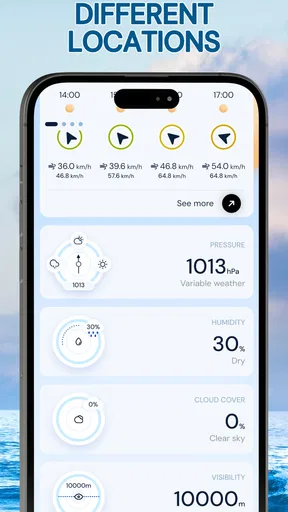
But it’s not just about the wind. You can also check out temperature, humidity, and atmospheric pressure. It’s a complete package for anyone who wants to dive deep into meteorological data. And trust me, even if you don’t consider yourself a weather geek, you might become one after using this app.
Reading the map with a bit of care
For practical use, I find it helps to begin with the broad pattern rather than fixating on one point. A map can show how wind conditions vary across an area, which is useful when choosing between two nearby places for a walk or picnic. Then I’d check the displayed direction and gust information before settling on a plan. A location that looks calm at first glance may still be exposed to short, stronger bursts, so the gust view deserves its own check.
One useful habit is to compare the map’s indication with what you can observe outside: the movement of tree branches, flags, or loose objects can tell you whether the conditions at your exact spot match the wider picture. That does not make either source infallible. It simply helps avoid treating a regional visualization as a precise reading at every doorstep, beach access point, or trail junction.
Features That You’ll Love
One of the features I found particularly handy is the customizable notifications. You can set alerts for specific wind conditions, so you’ll never miss out on the perfect day for sailing or kite flying. The app also supports offline mode, which is a lifesaver if you’re heading to a remote location and still want to access wind data.
Alerts are most useful when they are tied to a decision you would genuinely change. For example, a wind threshold could serve as a reminder to reconsider a planned outdoor activity, rather than a reason to keep checking the phone all day. I’d start conservatively, see whether the notifications are relevant to my routine, and adjust them if they become distracting. A gust alert is a prompt to reassess, not a promise that conditions will remain suitable once you arrive.
Offline access has a different trade-off: it can be helpful when connectivity is unreliable, but previously available information should not be mistaken for a fresh update. I’d check the map while I still have a connection before setting off, especially if the wind is central to the plan. If conditions are important for safety, I would not depend on an offline view alone.
GPS, location, and a sensible cross-check
Another impressive feature is the app’s integration with GPS. It provides precise readings based on your location, making it an essential tool for anyone who needs accurate weather data on the go. Whether you're planning a hiking trip or a day at the beach, having this info at your fingertips is incredibly useful.
Location-based information is handy when plans move from one place to another, but I’d still confirm that the map is showing the area I mean before interpreting it. This is a small, practical check if you are travelling, comparing a home location with a destination, or looking at a map while indoors. For a route with several exposed sections, I would use the wind view to identify what deserves attention, then consult a general forecast for the wider timing and conditions.
Who will get the most from it?
I’d recommend this app most to people who make outdoor plans where wind changes comfort or activity: walkers, cyclists, beach visitors, and anyone who likes following local weather patterns. It can also be useful to a household that wants one shared visual check before deciding whether to spend time outside. The store shows an average rating of 4.5 from around 14,000 ratings, and more than 500,000 installs, which suggests it has found an audience among weather-app users.
It is less compelling if all you want is a quick chance of rain and a simple daily forecast. A conventional weather app is often faster for that one question, while this app’s wind-centered view makes more sense when direction, gusts, and location matter. If you need a full planning picture for a serious sailing, surfing, or mountain outing, I would use it alongside specialist forecasts and local guidance rather than treating one app as the final authority.
Age, trust, and coordination
The app is rated for Everyone, and I see it as suitable for a family member who can comfortably interpret a weather map. For a younger child, I’d explain that colors and wind indicators are clues, not instructions to go outside or stay home. Adults should make the final call for activities where changing conditions could create risk. A simple household rule—check the map, check the sky, and ask before changing plans—keeps the tool in its proper place without expecting it to make decisions for the family.
Coordination works best when one person shares the conclusion, not just a screenshot. “The exposed beach may be breezy, so let’s choose the sheltered path” is more useful than assuming everyone understands the same map. This matters on a shared device too: people can have different activities and different tolerances for wind, so agreeing on the plan is more important than agreeing that a particular display looks calm.
Why You Should Give It a Try
So, why should you download this app? For starters, it’s incredibly easy to use. Even if you’re not tech-savvy, you’ll find navigating through the app a breeze. Plus, the detailed tutorials and customer support are there to guide you every step of the way.
And let’s not forget about the community aspect. The app allows users to share their own observations and experiences, creating a network of weather enthusiasts eager to share tips and insights. It’s like having a mini weather club in your pocket!
For day-to-day use, I’d start with one question: what decision am I trying to make? If it is whether to take a breezy route or choose a more sheltered spot, the map can be a useful starting point. If I only want a broad forecast, I would reach for whichever weather app I already find quickest. That distinction keeps this tool from becoming another screen I check out of habit.
Cost, compatibility, and household fit
The app is free to download, with optional in-app purchases listed from $0.99 to $20.99 per item. I’d begin with the free experience and only consider paying if I had identified a feature I regularly needed; there is little reason to spend simply because the app has optional purchases. It is rated for Everyone and requires Android 8.0 or later. Its current version is 5.3.5, and it was released on July 22, 2020.
That makes the practical decision fairly straightforward for a household: check that the device meets the operating-system requirement, then decide whether a wind-first view fills a real gap in your usual forecast app. Stolanapp is the developer, and the product’s narrow focus is its main appeal as well as its limitation. It is not a replacement for every kind of weather planning, but it can make wind easier to factor into everyday choices.
The Final Verdict
If you’re looking for an app that combines functionality with a touch of fun, Wind Radar Map - Anemometer is definitely worth checking out. It’s packed with features that cater to both amateur weather watchers and seasoned meteorologists. So, whether you’re planning your next outdoor adventure or just curious about the wind patterns in your area, this app has got you covered.
So go ahead, give it a whirl and see how it transforms the way you interact with the weather. You might just find yourself checking the wind map more often than you ever thought possible!
My household verdict is a measured yes: it is worth trying if wind is the detail that repeatedly affects your plans, and less necessary if a basic forecast already answers everything you ask of the weather. I’d use it as a shared conversation starter, keep alerts purposeful, and cross-check important outings with a broader forecast and conditions on the ground. With that approach, its map can be genuinely useful without asking it to do more than a wind-focused app should.
Pros
- Real-time wind speed updates.
- User-friendly interface design.
- Detailed weather forecasts included.
- Customizable alert settings.
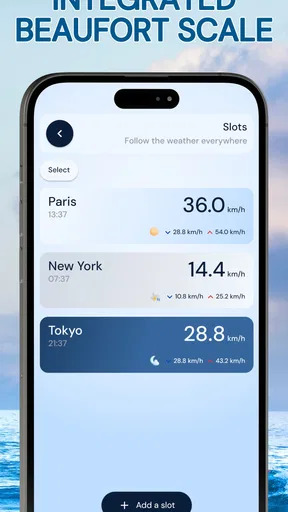
- Supports multiple locations at once.
Cons
- Limited offline functionality.
- Premium features require subscription.
- Ad-supported free version.
- Occasional data refresh delays.
- High battery usage in continuous mode.
FAQs for Wind Radar Map - Anemometer
What features does Wind Radar Map - Anemometer offer?
Wind Radar Map - Anemometer provides real-time wind speed and direction data, detailed weather forecasts, and interactive radar maps. Users can access historical wind data and set up custom alerts for specific wind conditions. The app also includes a user-friendly interface and an option to share data with friends or on social media.
Is Wind Radar Map - Anemometer available for both Android and iOS devices?
Yes, Wind Radar Map - Anemometer is available for download on both Android and iOS platforms. You can find it in the Google Play Store for Android devices and the Apple App Store for iOS devices. Ensure your device meets the app's minimum system requirements for optimal performance.
Does Wind Radar Map - Anemometer require an internet connection to function?
Wind Radar Map - Anemometer does require an internet connection to provide accurate and up-to-date data. The app relies on real-time data feeds to display current wind conditions and forecasts. However, some features, like saved locations and historical data, may be accessible offline.
Are there any in-app purchases or subscriptions in Wind Radar Map - Anemometer?
Wind Radar Map - Anemometer offers a free version with basic features. However, for advanced functionalities like ad-free usage, extended forecasts, and detailed radar maps, users might need to make in-app purchases or subscribe to a premium plan. Check the app's description for detailed pricing information.
How accurate is the wind data provided by Wind Radar Map - Anemometer?
The app uses data from reliable meteorological sources and advanced algorithms to ensure high accuracy in its wind and weather predictions. While the app is generally precise, factors such as location and network quality can affect data accuracy. For critical activities, cross-reference with other sources when possible.


